- Blog
Traceability on tray-staged material starts with the label system, not the holder. Define the fields, the one-tray-one-lot rule, and who changes the card; then pick an exchangeable plastic holder or permanent silk screen marking, and confirm the hardware for the selected tray row in the quotation.
Published tray families are listed on the ESD Tray category page. For the physical-segregation side of the same problem, the grid-tray cell allocation guide covers how cells and lots are assigned.
Part 1. Define the traceability job on tray-staged material
At a contract manufacturer, a tray is a moving container of liability: a customer’s lot, a work order, a revision state, and a count all travel with it. When the paper traveler separates from the tray, or two work orders share one tray, the audit trail breaks at exactly the point where material is easiest to mix.
Tray-level identification answers three questions at a glance — what is in this tray, which order owns it, and what state is it in. The divider kit-staging guide covers how cells are allocated inside a tray; this article covers how the tray itself stays identified.
Write the job down before choosing hardware. A tray that feeds one production cell for a day needs a different label discipline than a tray that circulates between incoming inspection, a stockroom, and multiple lines.
| Operating question | Buyer-defined answer |
|---|---|
| What does one tray carry? | One lot, one work order, one kit, or one defined item set |
| Who reads the label? | Operators, water spiders, auditors, scanners, or vision systems |
| When does the content change? | Per shift, per work order, per replenishment cycle |
| Who updates the label? | A named role, at a named process point |
| What must never happen? | Anonymous trays, stale cards, or shared-lot trays |
Part 2. Set the label fields and data rules first
Fields come before hardware because they size the card, the holder, and the print method. A work-order number, part number, lot or date code, quantity, revision, and a status field cover most CM flows; some customers add their own order reference or a serialized tray number.
Keep the field list short enough to read at arm’s length and stable enough to survive a process change. Every field needs an owner and a source — typed from the MES, printed at kitting, or handwritten only where the process explicitly allows it.
| Label field | Typical source | Why it earns a place |
|---|---|---|
| Work order / job number | MES or ERP release | Connects the tray to the build record |
| Part number and revision | Kitting document | Stops wrong-revision loading at the line |
| Lot or date code | Incoming record | Preserves supplier lot traceability |
| Quantity | Count at fill | Supports cycle counts and shortage checks |
| Status | Process point stamp | Separates ready, hold, and return material |
| Tray ID (optional) | Asset register | Lets the tray itself be tracked and audited |
Define the change rule in the same document: when a tray empties, the card comes out or the status changes — before the tray moves. Most “label holder” complaints on the floor are actually change-discipline gaps.
Part 3. Review the published Sanwei labeling options
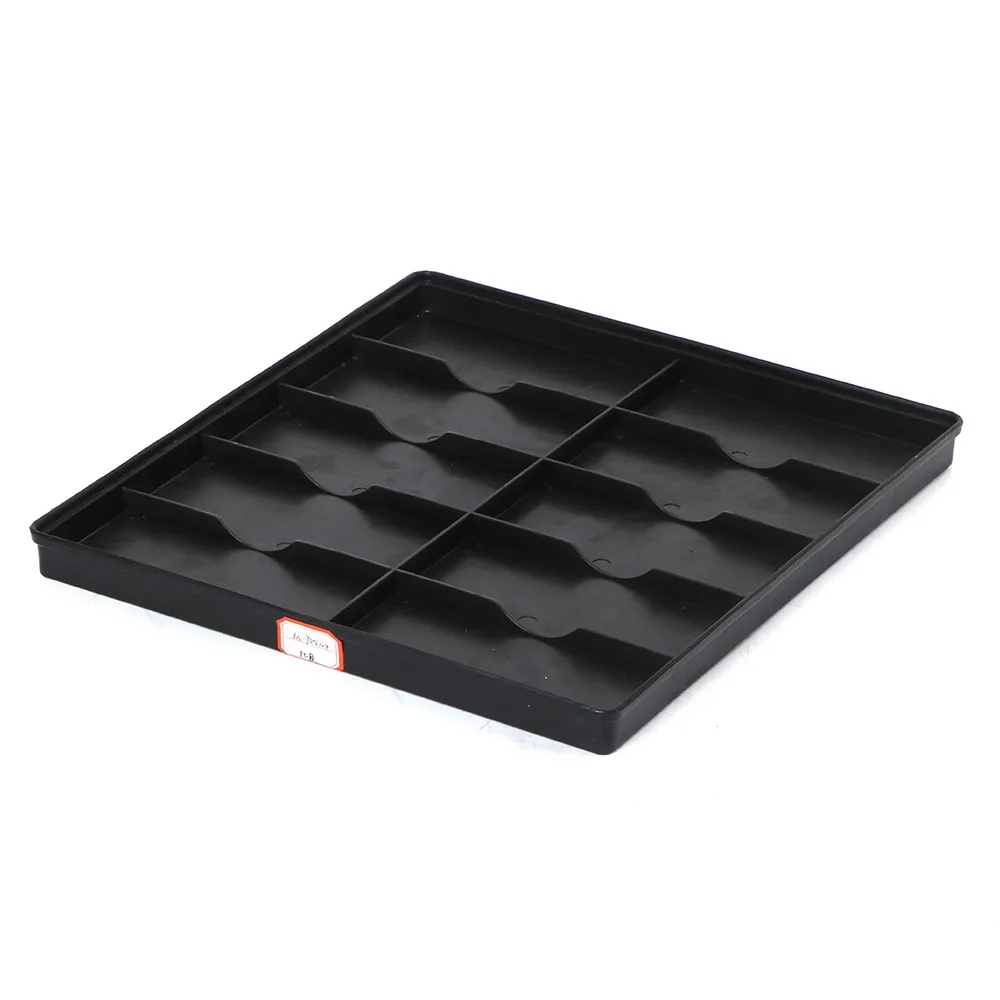
The published Sanwei ESD Tray product page lists optional accessories on its named model rows, including an anti-static label, an anti-static partition, and silk screen printing. Rows on the Sanwei ESD Tray With Grids page show the same option types alongside their grid layouts.
Those published options give a CM two supported identification routes on the tray side: an anti-static label applied to the tray, and silk screen printing for permanent marks such as a company name, tray number range, or fixed process legend. Options are listed row by row, so the selected model — not the family — determines what is available.
A molded or clip-on plastic label holder is not published as a standard accessory row. Treat holder hardware as a quotation item: state the card size, mounting position, and change expectation, and ask Sanwei to confirm feasibility for the selected tray model.
| Published observation | Specification use | Do not infer |
|---|---|---|
| Anti-static label option on listed rows | Plan an applied label as the baseline route | That one label format fits every row |
| Silk screen printing option on listed rows | Reserve permanent marks for stable content | That silk screen suits changing lot data |
| Anti-static partition option | Combine segregation with identification planning | That partitions create traceability by themselves |
| Row-level dimensions and static index | Match the tray row to the staging job first | Holder mounting details not shown on the page |
Part 4. Choose between exchangeable holders and permanent marking
Split the label content into two layers. Stable content — company marks, a tray asset number, a fixed process legend — suits silk screen printing, which is published as a row-level option. Changing content — work order, lot, quantity, status — needs an exchangeable card or a replaceable adhesive label.
An exchangeable plastic holder earns its place when cards change often and gloves, dust, or cleaning would defeat adhesive labels. It costs a confirmation step: the holder style, card size, mounting method, and material must be agreed for the selected tray model in the quotation, because the product page does not publish holder hardware.
Adhesive anti-static labels remain the simplest published route when changes are less frequent and residue rules allow relabeling. Some CMs run both: silk screen for the tray ID, a card holder for the live work order.
| Content type | Suggested route | Confirm in quotation |
|---|---|---|
| Tray ID, company mark, legend | Silk screen printing (published option) | Artwork, position, and the selected row |
| Live work order and lot data | Exchangeable card in a holder | Holder style, card size, mounting, material |
| Occasional lot marking | Anti-static adhesive label (published option) | Label format and residue behavior |
| Status flags | Card color or status field | Change rule and ownership |
Part 5. Plan placement for stacking, racks, and scanning
A label that disappears when trays stack is a traceability gap with good intentions. Place the primary identification on a tray face that stays visible in the real storage state — usually a short end wall or long side, matched to how racks and carts present the tray.
Check the reading distance and method. Human-read cards need arm’s-length legibility; barcode or vision reads need a flat, consistent window and a repeatable position tray after tray. Where trays ride in a rack, confirm the label face aligns with the aisle.
Placement interacts with the tray row selection: wall height, ribs, and stacking features differ by published model dimensions. Verify the chosen face on the actual row during the sample review instead of assuming from a photo.
| Placement check | Accept when |
|---|---|
| Stack visibility | The card stays readable with trays stacked or racked |
| Orientation | The labeled face meets the aisle or pick direction |
| Scan window | The code reads at the stated distance and angle |
| Handling clearance | Hands and equipment do not cover or tear the card |
| Wash and cleaning | The label route survives the documented cleaning step |
Part 6. Confirm ESD evidence and configuration boundaries
Identification hardware lives inside an ESD-control program. Published tray rows record a 10e4-10e8 Ω static index; ask for the evidence, test method, and measurement conditions for the selected row, and state whether the label, card, holder, and printing must meet the same program requirement in the buyer’s area. ESD Association standards information frames those program decisions; it does not approve a specific label or holder.
Keep unpublished attributes in the quotation. Holder material, mounting strength, temperature exposure, chemical resistance, price, MOQ, and lead time are confirmed for the specific request — the product page does not publish them.
One boundary saves audits later: the label system identifies the tray; it does not replace the route card, MES transaction, or customer-required records. Write the interface between tray label and system record into the process, not into hope.
Part 7. Build the RFQ and sample review
Send a specification the supplier can answer. Name the candidate tray rows, the label fields and card size, the holder-or-marking split from Part 4, and the placement rule from Part 5, then list what needs confirmation.
| RFQ or sample input | Buyer should provide |
|---|---|
| Tray selection | Candidate published rows and the staging job |
| Field list | Card layout, sizes, and data sources |
| Identification split | Silk screen content versus exchangeable card content |
| Holder request | Style, card size, mounting position, change expectation |
| Placement rule | Labeled face, stack and rack visibility, scan needs |
| ESD evidence | Static index target, method, and evidence format for the row |
| Cleaning exposure | Agents and frequency the labeled tray must survive |
| Sample acceptance | Read, change, stack, and route checks with pass criteria |
Product recommendation

Start from the Sanwei ESD Tray product page when the staging job fits a published row and the identification plan is written. Send the field list, holder request, and placement rule through Contact Sanwei to confirm the selected row, the label or silk screen option, holder feasibility, and the evidence for the quotation.
Fit Boundary
| Buyer situation | Suitable path | Avoid |
|---|---|---|
| Lot-level traceability on staged trays | Define fields and change rules, then select the row and options | Buying holders before the data model exists |
| Frequently changing work orders | Exchangeable card holder confirmed in the quotation | Silk screening live lot data onto trays |
| Stable tray identity needs | Silk screen printing from the published option | Handwritten permanent marks |
| ESD-controlled areas | Request row evidence and state label-system requirements | Assuming any card or holder is program-neutral |
| Physical mixing problems | Grid or divider guidance plus cell-level rules | Treating a label as a segregation device |
FAQ
What is an ESD tray with a plastic label holder?
It is a static-safe tray fitted with an exchangeable card pocket or clip so live traceability data — work order, lot, quantity, status — can travel with the tray and be changed without relabeling. Holder hardware is confirmed per tray model in the quotation.
Does Sanwei publish a label option for its ESD trays?
Yes. Published ESD Tray and grid-tray model rows list an anti-static label option and silk screen printing among optional accessories; options are shown row by row.
Which fields belong on a tray label for traceability?
Most CM flows use work order, part number and revision, lot or date code, quantity, and a status field, each with a named owner and data source. Keep the list short and readable.
Can a label holder be added to any ESD tray?
Do not assume so. Holder style, card size, and mounting depend on the selected tray model’s walls and stacking features, so feasibility is confirmed in the quotation and on a sample.
Should tray labels be exchangeable or silk screened?
Use silk screen printing for stable identity content and an exchangeable card or replaceable label for live lot data. Many programs run both layers on the same tray.
Do label holders affect ESD performance?
They can, which is why the buyer’s program decides what the label, card, and holder must meet. Request evidence for the selected configuration rather than assuming neutrality.
How should trays be labeled when they are stacked?
Put the primary identification on a face that stays visible in the stacked or racked state, aligned to the aisle or pick direction, and verify readability on a sample stack.
What should be checked on a labeled tray sample?
Card fit and change action, readability at distance, scan or vision reads, stack visibility, cleaning survival, and whether the change rule works at the intended process points.
Laisser un commentaire