- Turbo
- Blog
ESD tray labeling for barcode and MES workflows should identify the handling unit without interrupting the tray’s mechanical support, electrical-control requirements or cleanability. A label is not just a printed number. It is the link between the tray, its part number, lot, quantity, status and movement history. The most reliable design uses a readable human identifier, a machine-readable symbol, a defined label zone and a scan transaction that is tested on the real tray under production lighting.
Define what the tray label must answer
Before choosing a label holder or print method, list the decisions the operator must make. A receiving label may need supplier, part number, lot, quantity and receipt date. A line-side label may need work order, revision, feeder location and status. A return label may need the tray asset ID and cleaning state. Do not put every possible field on every label. Keep the permanent tray identity separate from the temporary material and process identity.
| Identity layer | Example data | Where it belongs | Control to verify |
|---|---|---|---|
| Tray asset | Tray ID, size or revision | Permanent holder or approved marking zone | Survives cleaning and remains readable |
| Material unit | Part number, lot, quantity | Removable traveler or printed label | Matches the physical contents and system record |
| Process status | Inspection, released, hold | System status plus visible cue | Scan changes status only with authorization |
| Ubicación | Rack, cart or line position | Location barcode and MES record | Move transaction records old and new locations |
Use a standard identification scheme
For supply-chain identifiers, start with the applicable GS1 rules instead of inventing a local number structure. The GS1 General Specifications describes how barcodes can encode identifiers and attributes such as serial numbers, lots and dates. The label still needs an internal data dictionary that defines field length, character set, check digit, revision handling and what happens when a value is unknown.
Do not assume that a visually similar code means the same thing in every system. A tray asset ID, a product GTIN and a supplier lot are different keys. Test the complete string from the printer through the scanner, middleware and MES. Keep the human-readable text close enough to the symbol for manual recovery, but do not shrink it until it becomes unreadable.
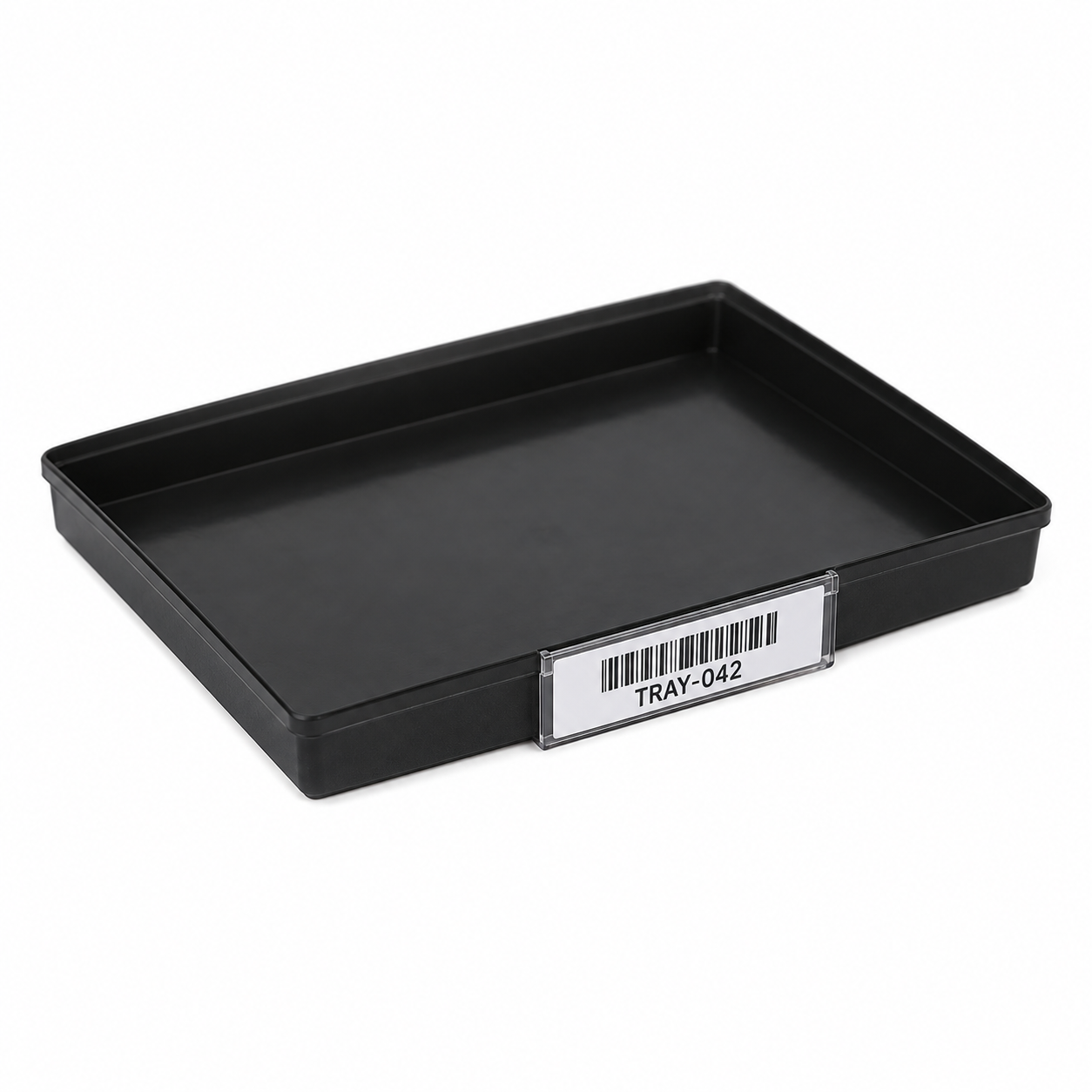
Choose the label location from the tray geometry
The front outer wall is often convenient, but it is not automatically safe. The label or holder must not project into the nesting area, block a locating rim, scrape the next tray, or become a hard point that concentrates force. Review the tray drawing and a physical sample. Stack, nest, clean and move labeled trays before approving the location.
For automated handling, check scanner line of sight, conveyor guides, robot grippers and the direction in which trays enter the machine. A label visible to a handheld scanner may be hidden from a fixed reader. If the label must be read from two directions, validate two zones or a wrap-around design without creating a snag hazard.
Select a marking method that fits the lifecycle
Removable thermal-transfer labels work well for changing material status, but they need an approved adhesive, clean removal and a defined replacement interval. A clear holder protects a paper or synthetic insert, but the holder must not add unacceptable height to a stack. Direct marking can provide durable asset identity, but it must be validated for contrast, chemical exposure, ESD requirements and future recycling or repair.
Ask the supplier for samples printed with the real symbol size and data length. Test after the actual cleaning cycle, abrasion, condensation and storage conditions. A catalog photograph cannot demonstrate scan performance.
Verify barcode quality in the real environment
Barcode verification is different from a single successful scan. Check symbol quality with the intended scanner or verifier, at the expected angle and distance, under the lowest practical lighting. Include glare from glossy holders, black tray backgrounds, curved edges, wrinkles, residue and partially covered symbols. GS1’s barcode implementation steps are a useful reference for choosing a symbol and checking print quality.
Define the acceptance result in the work instruction. Record the label version, printer, ribbon or media, symbol type, quiet zones, test equipment and date. If the same label is used on black, red, yellow and cream trays, verify contrast on each color or use a neutral holder that gives the symbol a consistent background.
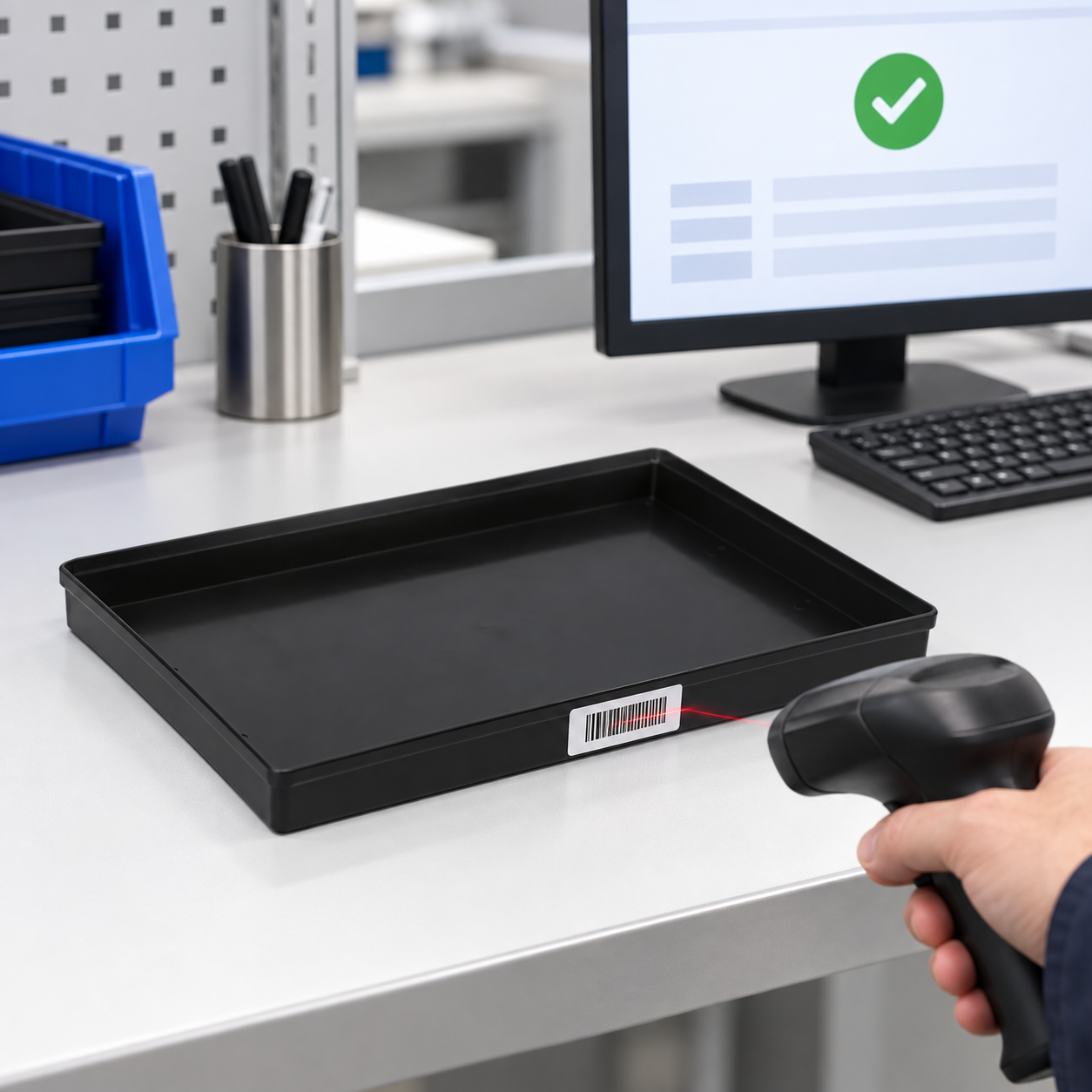
Design the MES transaction, not only the label
cURL Too many subrequests by single Worker invocation. To configure this limit, refer to https://developers.cloudflare.com/workers/wrangler/configuration/#limits.
cURL Too many subrequests by single Worker invocation. To configure this limit, refer to https://developers.cloudflare.com/workers/wrangler/configuration/#limits.
cURL Too many subrequests by single Worker invocation. To configure this limit, refer to https://developers.cloudflare.com/workers/wrangler/configuration/#limits
cURL Too many subrequests by single Worker invocation. To configure this limit, refer to https://developers.cloudflare.com/workers/wrangler/configuration/#limits Fundamentos de ESD de la Asociación EOS/ESD y el Resumen de ANSI/ESD S541 cURL Too many subrequests by single Worker invocation. To configure this limit, refer to https://developers.cloudflare.com/workers/wrangler/configuration/#limits.
cURL Too many subrequests by single Worker invocation. To configure this limit, refer to https://developers.cloudflare.com/workers/wrangler/configuration/#limits.
cURL Too many subrequests by single Worker invocation. To configure this limit, refer to https://developers.cloudflare.com/workers/wrangler/configuration/#limits
cURL Too many subrequests by single Worker invocation. To configure this limit, refer to https://developers.cloudflare.com/workers/wrangler/configuration/#limits.
cURL Too many subrequests by single Worker invocation. To configure this limit, refer to https://developers.cloudflare.com/workers/wrangler/configuration/#limits NASA workmanship standard portal illustrates why repeatable workmanship and handling controls should be documented rather than left to individual judgment.
Control revisions and reprints
Label templates change as fields, scanners and customer requirements change. Give each template a revision and keep old revisions from being printed at ordinary workstations. When a reprint is needed, show the reason, operator and source record, then retire the old label. A controlled history prevents two labels with different data formats from circulating under the same tray process.
During implementation, test normal scans and deliberate errors: an old label, a duplicate ID, a wrong lot, an empty field, a damaged symbol and an unauthorized status change. The system should stop or route each exception clearly rather than silently accepting a plausible but wrong transaction.
Keep the pilot sample representative of the real tray sizes, colors, labels and lighting. A workflow that works only with a clean sample at a bench is not ready for receiving, line-side movement or return processing.
Specify labeling in the RFQ
- Tray asset identity and permanent-marking method.
- Material fields, status fields and ownership of the data dictionary.
- Barcode symbology, size, quiet zone and human-readable text.
- Label location, holder dimensions, projection and nesting clearance.
- Printer, media, adhesive, cleaning and replacement requirements.
- Scanner model, angle, distance, lighting and acceptance method.
- MES transactions for move, split, hold, release, reprint and return.
How SWESD trays fit the workflow
Utiliza el SWESD ESD tray range as the physical starting point, then confirm the part envelope, label zone and handling route. The guía de bandejas de componentes antiestáticos provides broader selection context. Review material selection, color-coding controls y load validation together so the label does not interfere with mechanical or ESD requirements.
Further learning: GS1 identification and standards
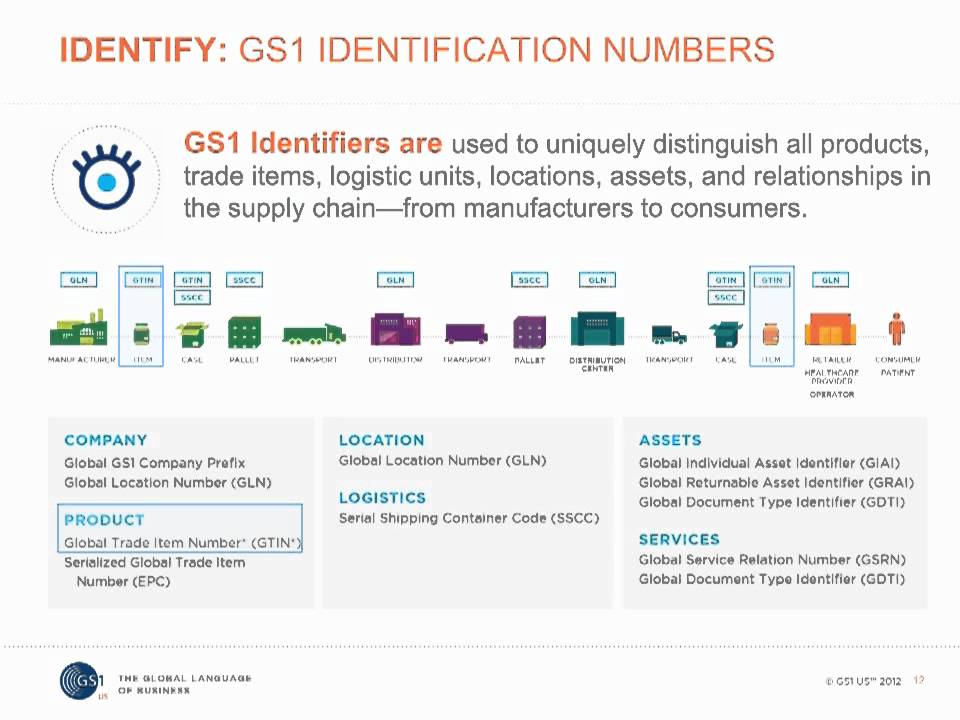
This GS1 US introduction explains the role of identification standards. It is a neutral educational resource; the exact MES field mapping and acceptance tests remain specific to the customer’s process.
Preguntas frecuentes
Should the tray label identify the tray or the parts?
Utilice capas de identidad separadas. Una identificación duradera de la bandeja identifica el activo, mientras que una etiqueta de material removible identifica la pieza, lote, cantidad y estado.
¿Puede un soporte de etiqueta colocarse en el borde de apilamiento?
Solo si la interfaz completa cargada y vacía ha sido probada y el soporte no interrumpe el soporte, anidamiento, espacio libre o manejo.
What should happen when a barcode will not scan?
Aislar la unidad, verificarla con el viajero y utilizar un proceso de reimpresión autorizado que invalide la antigua identidad.
Does a successful handheld scan prove MES readiness?
No. Test the full transaction, including permissions, field mapping, status change, location, error handling and audit trail.
Can color replace the barcode?
No. Color may support routing, but it cannot uniquely identify a tray, lot or system transaction.
Dejar un comentario