- Turbo
- Blog
ESD tray color coding can make production status visible, but color is a workflow control, not proof of electrostatic performance. A reliable system assigns each color one documented meaning, keeps the meaning stable across shifts, and requires a barcode, traveler or MES record to identify the exact part and status. The tray itself still needs the right dimensions, material, cleanliness and electrical verification. This guide shows how to build a color system that helps operators without turning a visual cue into an unverified quality claim.
Define the decision that color is allowed to communicate
Start with one question: what decision should an operator make after seeing the tray? Useful examples include “awaiting inspection,” “released to line,” “hold,” or “empty return.” Avoid assigning colors to several meanings at once. If red means quality hold in one area and urgent replenishment in another, the cue creates risk instead of removing it.
Write the legend in the work instruction, traveler template and training material. Include the scope, owner and revision date. A small card on the rack is useful, but it must not replace the controlled document. Keep the legend readable under the actual lighting used in the EPA or warehouse.
| Workflow state | Example visual cue | Erforderliche Aufzeichnung | Nicht daraus ableiten |
|---|---|---|---|
| Awaiting inspection | Yellow tray or yellow rack marker | Lot, quantity, receipt and inspection status | That the parts passed |
| Released | Green marker where locally approved | Release decision and reviewer | That the tray is electrically suitable by color |
| Qualitätsstopp | Red tray or red hold location | Reason, disposition owner and due date | That the parts are scrap |
| Leere Rückgabe | Neutral or black location | Cleaning and availability status | That the tray is clean or undamaged |
Keep color separate from ESD material classification
Colorants, fillers and surface treatments can affect the electrical behavior of a polymer, but appearance alone cannot tell a buyer whether a tray is conductive, dissipative, shielding or insulating. Confirm the supplier’s material declaration and the test method used for the required property. The cURL Too many subrequests by single Worker invocation. To configure this limit, refer to https://developers.cloudflare.com/workers/wrangler/configuration/#limits provides system-level background, while the cURL Too many subrequests by single Worker invocation. To configure this limit, refer to https://developers.cloudflare.com/workers/wrangler/configuration/#limits explains the role of packaging materials in protecting ESD-sensitive items.
Do not print “ESD safe” on a color legend unless the claim is supported by the applicable specification and test evidence. The legend should describe the process state, such as “red = hold,” rather than a technical property that has not been measured.
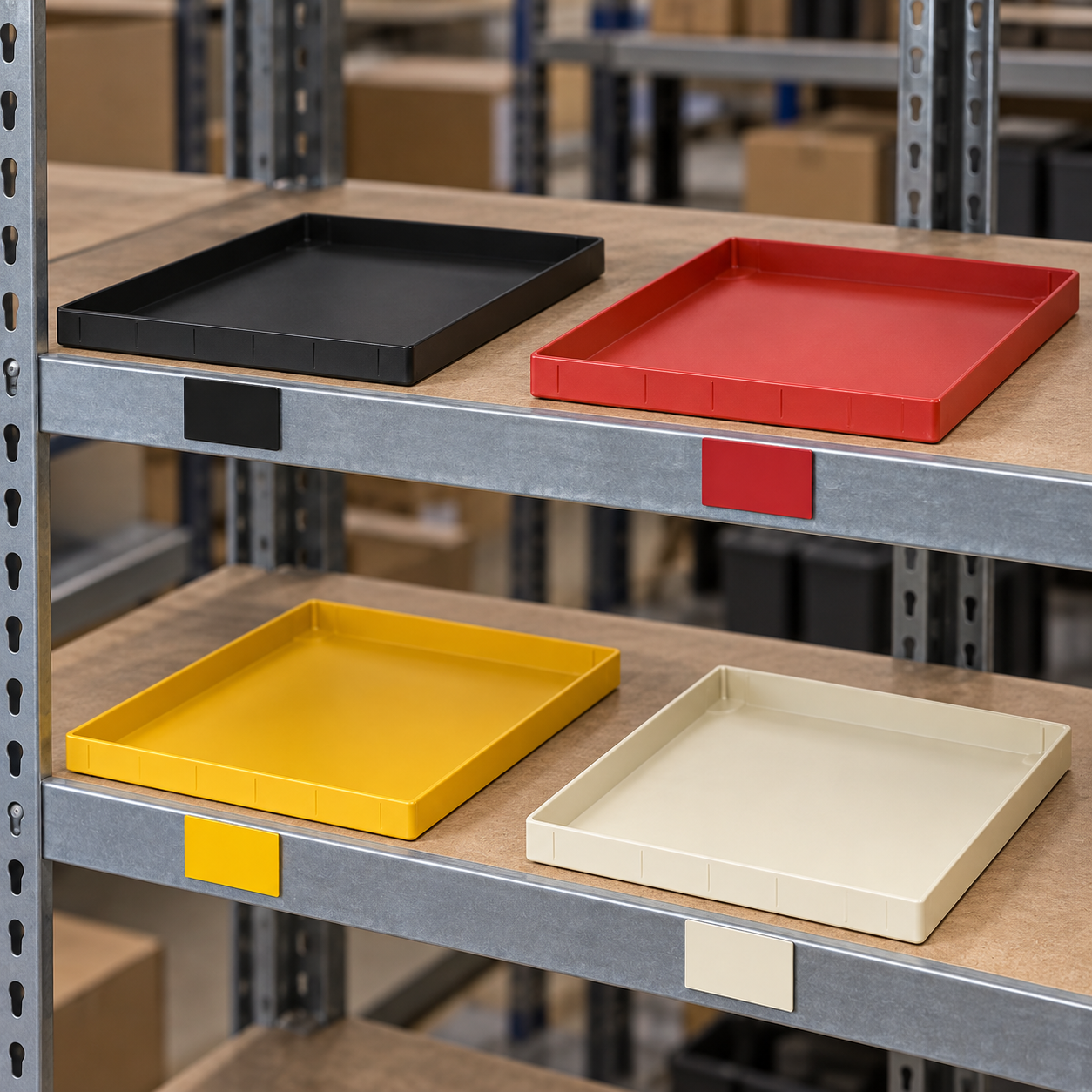
Choose colors operators can distinguish
Use a small palette with strong contrast. Check the colors under cool white, warm white and low-light conditions, and test printed labels and camera images if vision systems are involved. Never rely on color alone for a critical disposition. Pair it with a text label, barcode, location, shape, or status in the MES. This supports people with color-vision differences and reduces errors when trays are dirty, stacked, or partly covered.
Consider adjacent colors and backgrounds. A yellow tray on a yellow rack marker may disappear. A red tray beside a red emergency sign may be noticed for the wrong reason. A neutral black tray with a high-contrast, removable traveler can be more reliable than adding many colored variants.
Map colors to locations and transactions
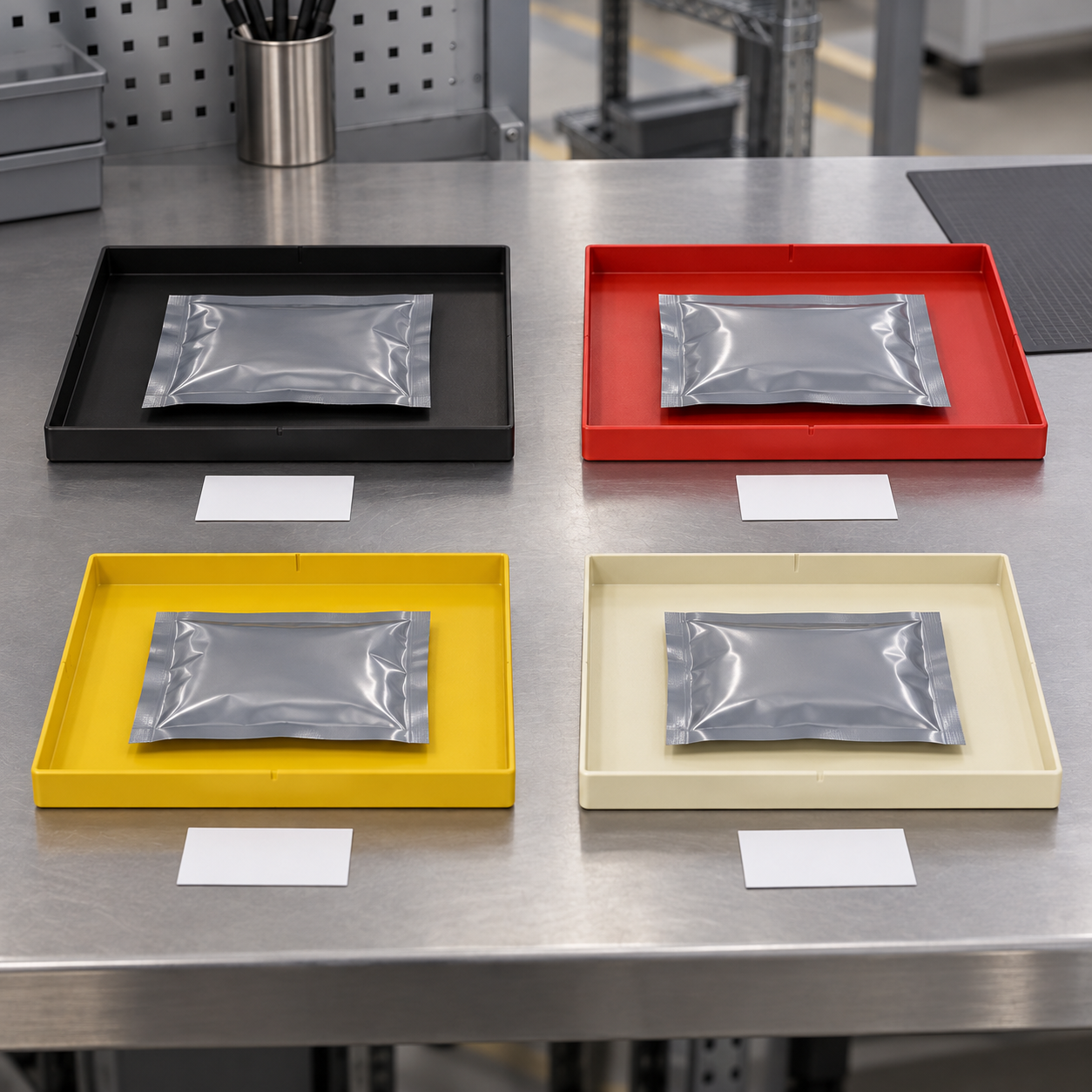
A useful implementation links three fields: tray color, physical location and digital status. For example, a yellow tray may be allowed only in the incoming-inspection lane, and the barcode scan creates the inspection queue. When the lot is released, the operator scans it, moves it to the released lane and records the responsible person. If the color changes but the system record does not, stop and investigate the mismatch.
Use fixed rack positions and location IDs. Do not place a red hold tray in a normal released location just because the shelf has space. If mixed colors share a cart, use dividers and a location map. Put the highest-risk status at eye level and define what happens to a tray with a missing or damaged color cue.
Control mixed part numbers and work-in-process
Color is not a license to mix lots. One tray should have one defined identity and status unless the process explicitly allows a controlled kit. Use a traveler with part number, revision, lot, quantity and disposition. If two part numbers share a color, their labels and system records must still distinguish them. Operators should be able to answer “what is this, who released it, and where is the record?” without opening the tray.
For work-in-process, define whether the cue follows the material or the operation. If red means hold, it should remain red while the material moves between inspection, MRB and rework. If color means operation, the traveler must show the quality status separately. Mixing these models is a common source of false release.
Validate the system with real handling
Pilot the legend with operators from receiving, quality, line-side replenishment and shipping. Ask each person to identify sample trays under normal lighting and while carrying a stack. Include dirty, partially covered and empty trays. Record wrong answers and revise the palette or supporting label before rollout.
Audit the process at the point where an error would be costly. Compare the physical color, rack location, traveler and MES status. Sample both released and held material. A color system is effective only when the four sources agree. Keep an audit record and assign an owner for corrections.
Cleaning and replacement rules
Cleaning can fade surfaces, remove removable markers or leave residue that changes appearance. Define approved cleaning agents and inspection criteria. A cracked or contaminated tray should be removed from service even if its color is still clear. Replace labels and color markers when they are scratched, detached or difficult to distinguish. Do not spray paint or apply an unapproved coating to change a tray’s appearance because the change may affect material behavior and traceability.
cURL Too many subrequests by single Worker invocation. To configure this limit, refer to https://developers.cloudflare.com/workers/wrangler/configuration/#limits
cURL Too many subrequests by single Worker invocation. To configure this limit, refer to https://developers.cloudflare.com/workers/wrangler/configuration/#limits.
cURL Too many subrequests by single Worker invocation. To configure this limit, refer to https://developers.cloudflare.com/workers/wrangler/configuration/#limits.
cURL Too many subrequests by single Worker invocation. To configure this limit, refer to https://developers.cloudflare.com/workers/wrangler/configuration/#limits.
cURL Too many subrequests by single Worker invocation. To configure this limit, refer to https://developers.cloudflare.com/workers/wrangler/configuration/#limits.
cURL Too many subrequests by single Worker invocation. To configure this limit, refer to https://developers.cloudflare.com/workers/wrangler/configuration/#limits
cURL Too many subrequests by single Worker invocation. To configure this limit, refer to https://developers.cloudflare.com/workers/wrangler/configuration/#limits.
Das cURL Too many subrequests by single Worker invocation. To configure this limit, refer to https://developers.cloudflare.com/workers/wrangler/configuration/#limits cURL Too many subrequests by single Worker invocation. To configure this limit, refer to https://developers.cloudflare.com/workers/wrangler/configuration/#limits.
How SWESD trays fit the system
Benutzen Sie SWESD ESD tray range as the product starting point, then define the color and status workflow with the actual part and handling route. The anti-static component tray guide covers broader tray selection. Review material selection, load validation, und labeling for MES workflows as complementary controls.
Weiterbildung: Visuelles Management

The Lean Enterprise Institute webinar discusses visual management as a way to make process conditions visible and actionable. It is a neutral learning resource; your site legend and quality procedure remain the controlling documents.
Häufig gestellte Fragen
Does a red ESD tray mean the material is unsafe?
Nein. Die Farbe sollte den lokal definierten Prozessstatus kommunizieren, wie z.B. Halten. Sie ersetzt nicht den technischen ESD-, Qualitäts- oder Sicherheitsnachweis.
Can tray color replace a barcode?
Nein. Farbe ist ein schnelles visuelles Signal. Ein Barcode, Reisender oder MES-Aufzeichnung sollte das genaue Teil, die Charge, die Menge und den Status identifizieren.
How many colors should a production system use?
Verwenden Sie die kleinste Palette, die Operatoren unterscheiden und sich merken können. Fügen Sie nur dann eine neue Farbe hinzu, wenn sie eine eindeutige, dokumentierte Entscheidung darstellt.
Should colors follow the material or the process step?
Choose one model and document it. If colors follow process steps, the quality disposition must remain separately visible.
Can a supplier change the colorant without notice?
Do not allow an unreviewed change. Confirm appearance, material declaration, electrical performance, dimensions and workflow recognition after any color or resin change.
Schreiben Sie eine Antwort